
Roll the Dice
Can’t decide where to go?
Roll the Dice puts the places you are weighing up on a dice, from your Faves, your friends’ or Featured, then lets a flick pick tonight’s table.
01 / Find it
Tap the dice on your map.
The pink cube sits by the map legend. Tap it and Launch Dice Roll; once you have made a dice, it opens where you left off.
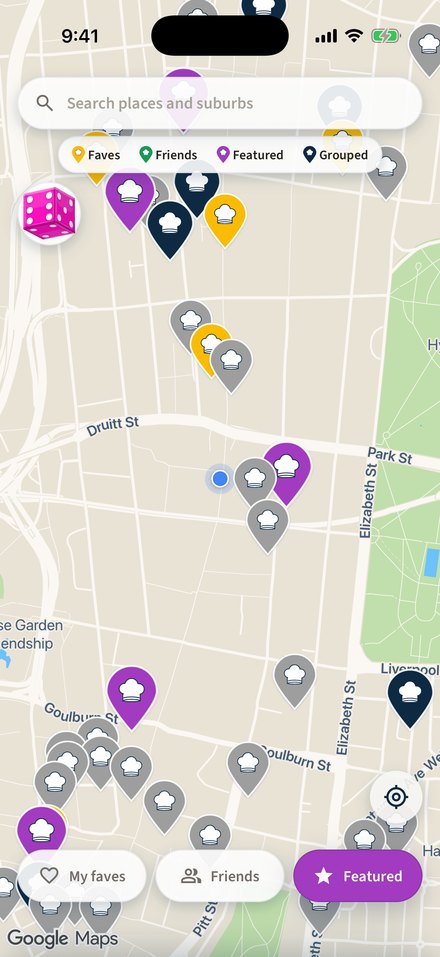
Map
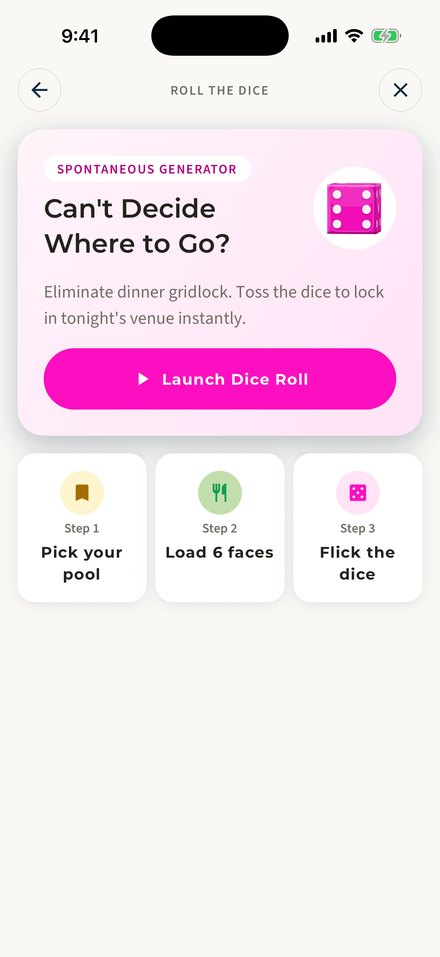
Roll the Dice
02 / Pick your pool
Where are we heading?
Roll from your Faves, roll with friends, or roll from Featured.
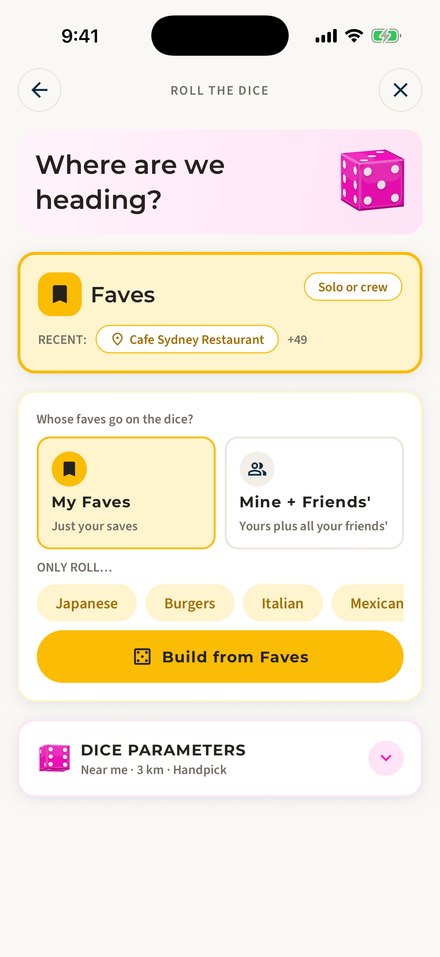
Where are we heading?
- Faves
- My FavesMine + Friends'Only roll… (cuisine)Build from Faves
- Just your saves, or yours plus all your friends’, narrowed by cuisine if you like.
- Roll with friends
- Invite up to 19 friendsOne pick each, one face eachTwo of you? A coin toss
- Everyone picks one place and each pick is a face, so the dice has as many sides as there are of you, up to 20. Invites show as a pink count on the dice on your map.
- Featured
- Vibe: by cuisineOnly roll…Build from Featured
- Try something new: pick the suburb or cuisine and the dice does the rest. Featured works without an account; Faves and friends need you to sign in.
03 / Set the dice
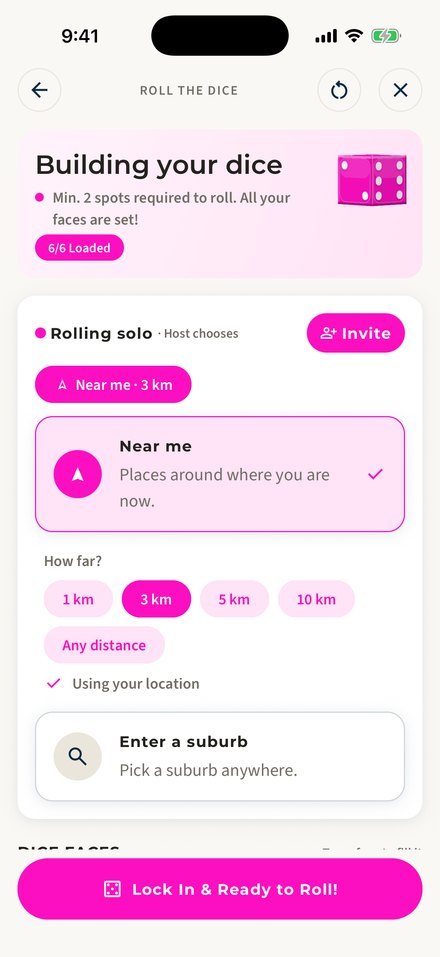
Near me, or a suburb. Handpick or Auto-fill.
Choose how far the dice may look and whether you load the faces yourself.
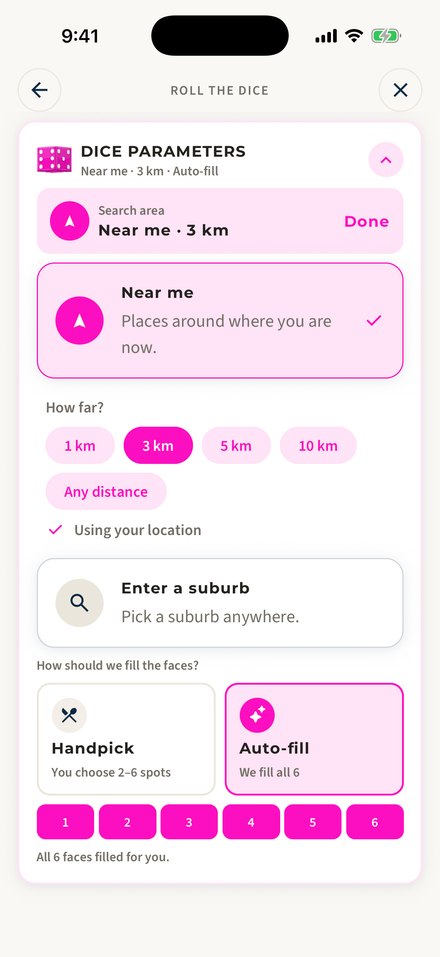
Dice parameters
- Search area
- Near me1 km3 km5 km10 kmAny distanceEnter a suburb
- Near me starts at 3 km and uses your location; Enter a suburb picks anywhere.
- How should we fill the faces?
- Handpick: you choose 2–6 spotsAuto-fill: we fill all 6
- Either way the builder opens next: Auto-fill arrives with every face filled, Handpick lets you load each face yourself.
04 / Load 6 faces
Building your dice.
Load two to six places. With fewer than six, places repeat on opposite faces. Then Lock In & Ready to Roll!
Builder
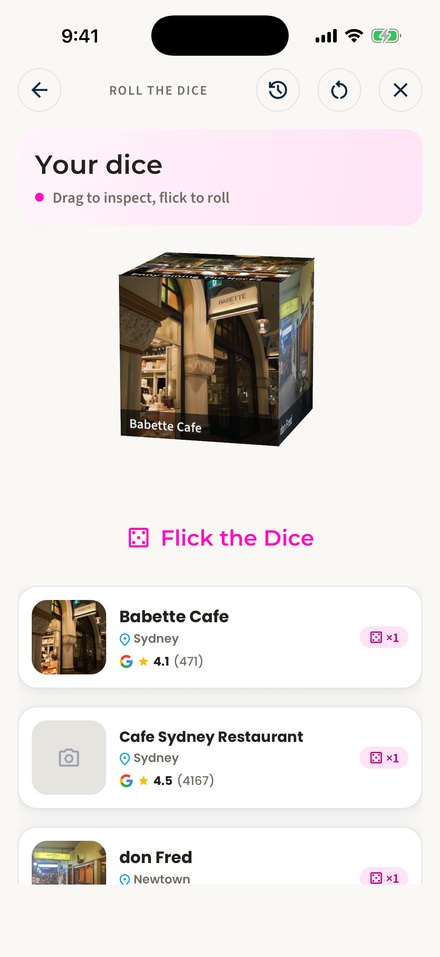
Drag to inspect
05 / Flick the dice
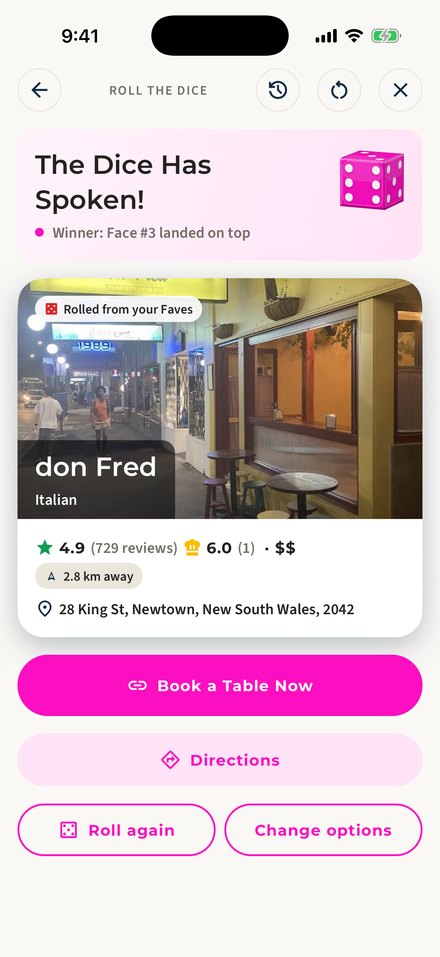
The Dice Has Spoken!
A few seconds of bouncing, then the winning face lands on top. Book, call or get directions; not feeling it? Roll again.
Result
- The dice has spoken
- Book a Table NowDirectionsCallRoll againChange options
- Book a Table Now shows when the venue takes bookings and Call when it lists a phone number; Directions needs you to be signed in. Roll again throws the same dice; Change options clears the faces so you can load them again.


